How are you? As promised, let's briefly mention in this article how to change Mongolian Cyrillic settings on Microsoft Windows operating system.
When the program used...
(It was 7-10 years ago, I don't remember, it's not important) it was, and there is still no improvement, so maybe the programmer said "It's good", but the product that came out at the end seems to be difficult to install on their system even for people who don't know it. The program we are talking about is the Microsoft Keyboard Layout Creator (MSKLC). Just search on Google orэндээсdownload and install it.
The main thing is that the following small keyboard installation project was made with this program😎:
There's a lot to discover, but I think the main purpose of my videos is to get you inspired, learn to do it yourself, or just know. If I explain to you in professional terms, there will be a lot of research work. So, if you are interested in going deeper on this topic, please inquire separately. You can go a little deeper if necessary.
Windows that have been successfully installed and used so far are Windows 7 - 11 and all of them are working. Well, good luck,🤓!
Very easy to explain with pictures. If you imitate it, you will understand it even faster
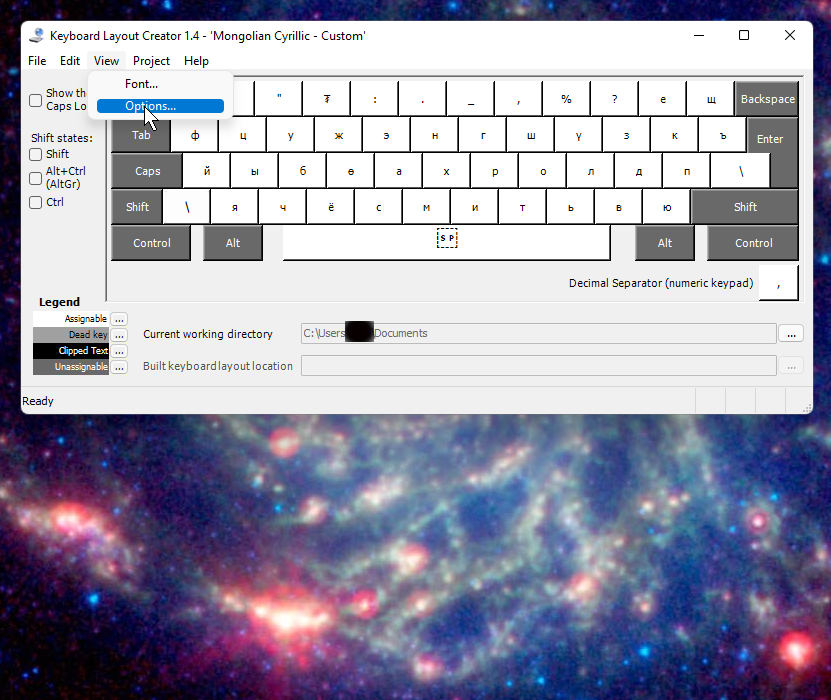
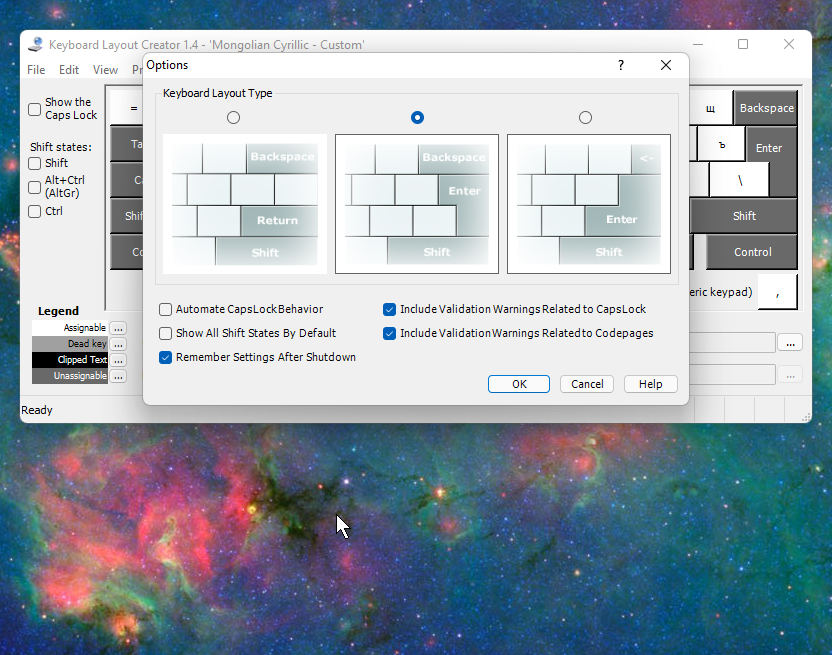
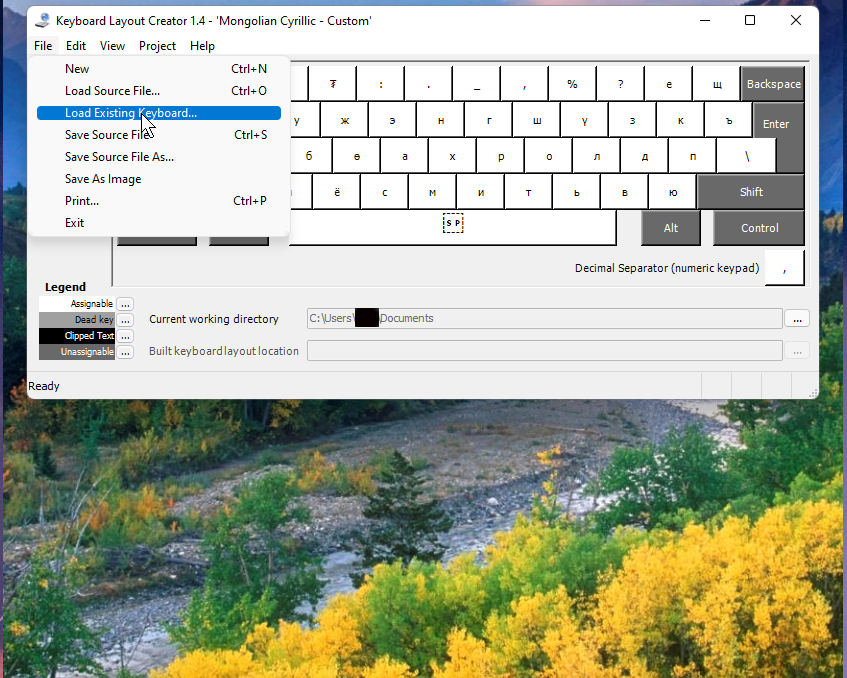
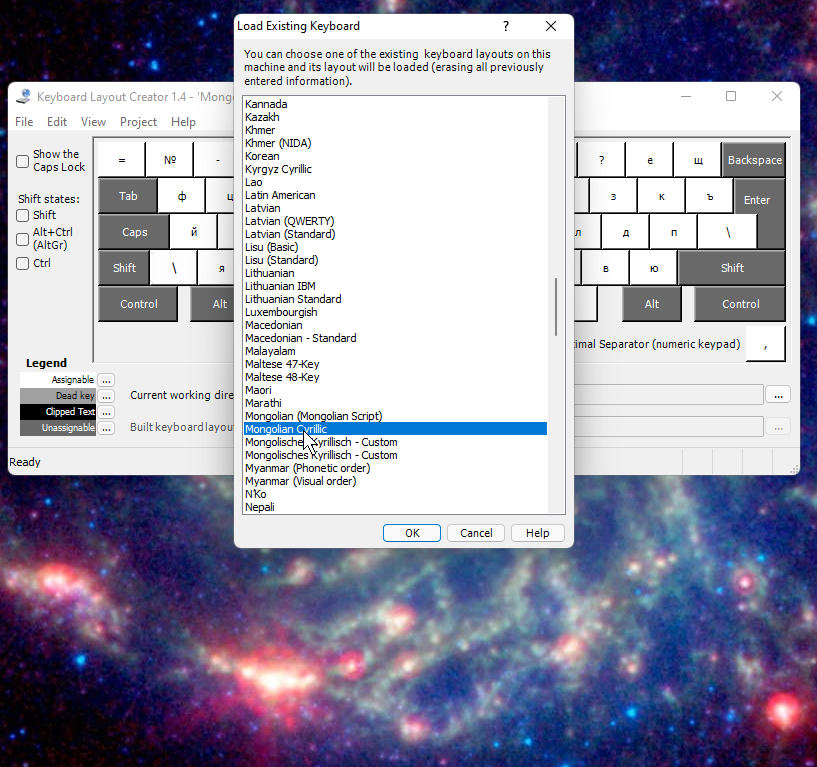
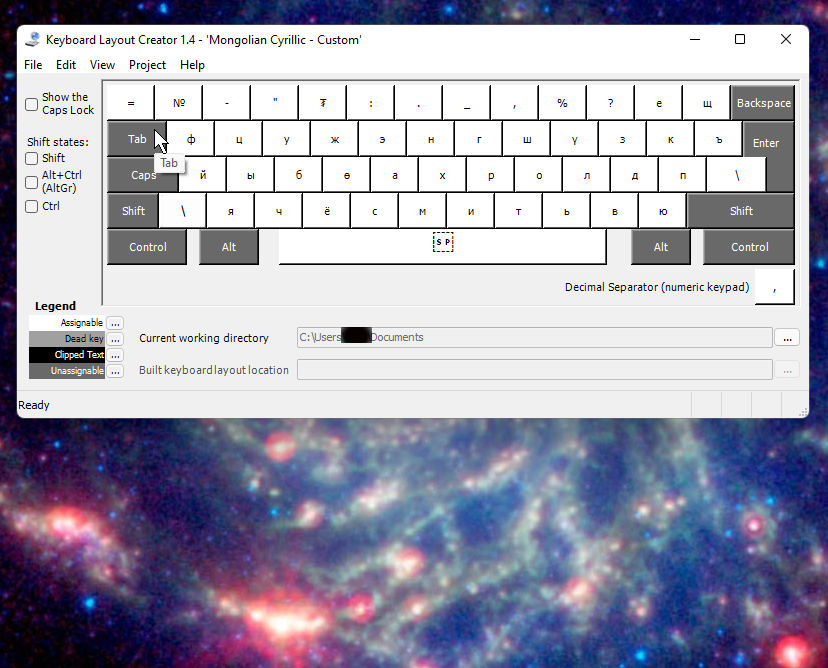
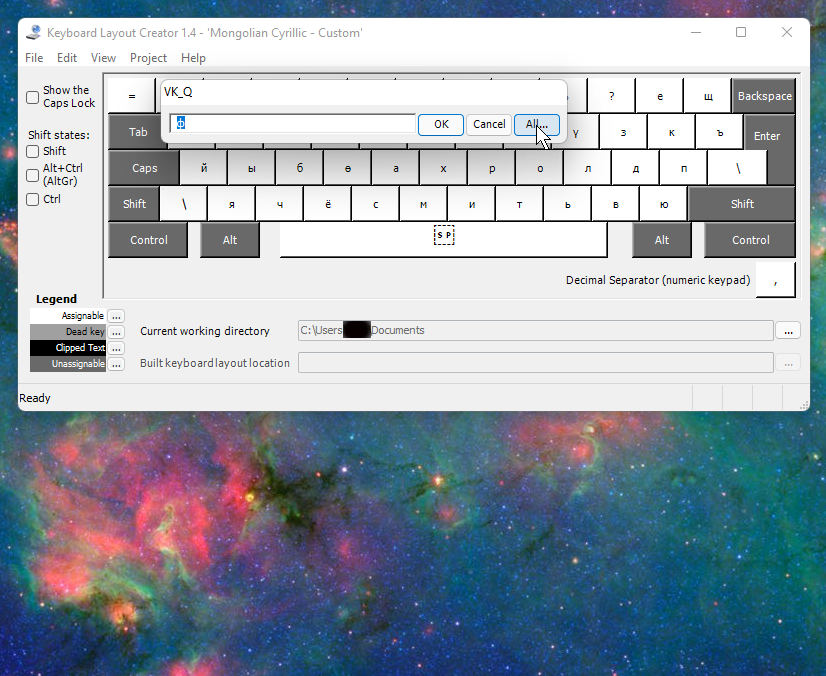
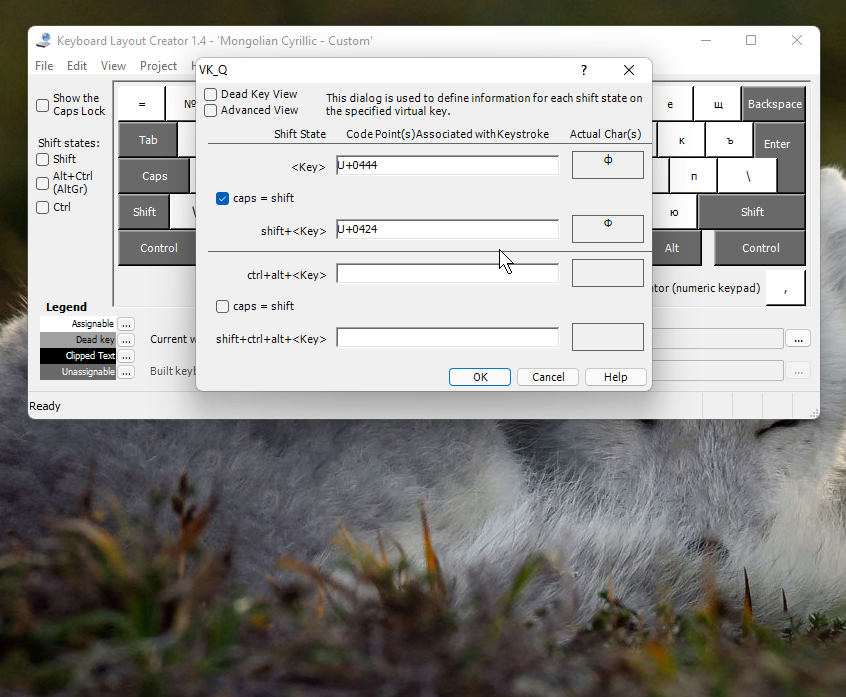
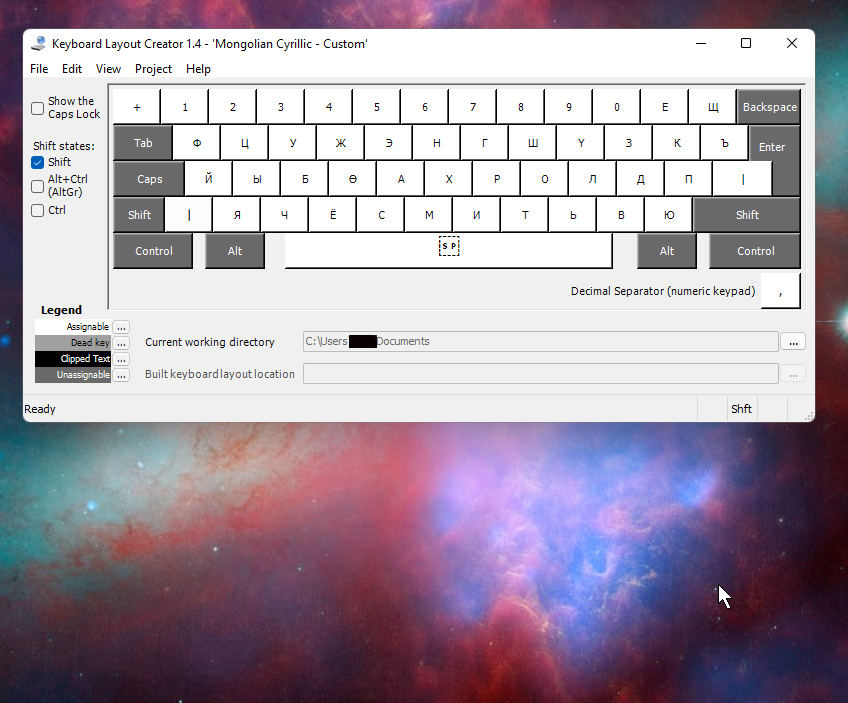
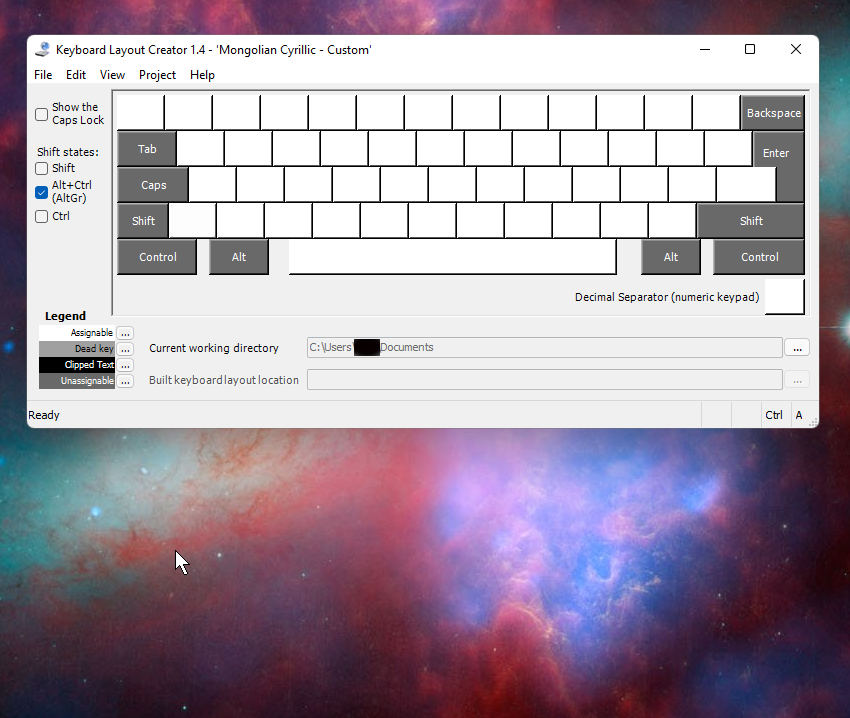
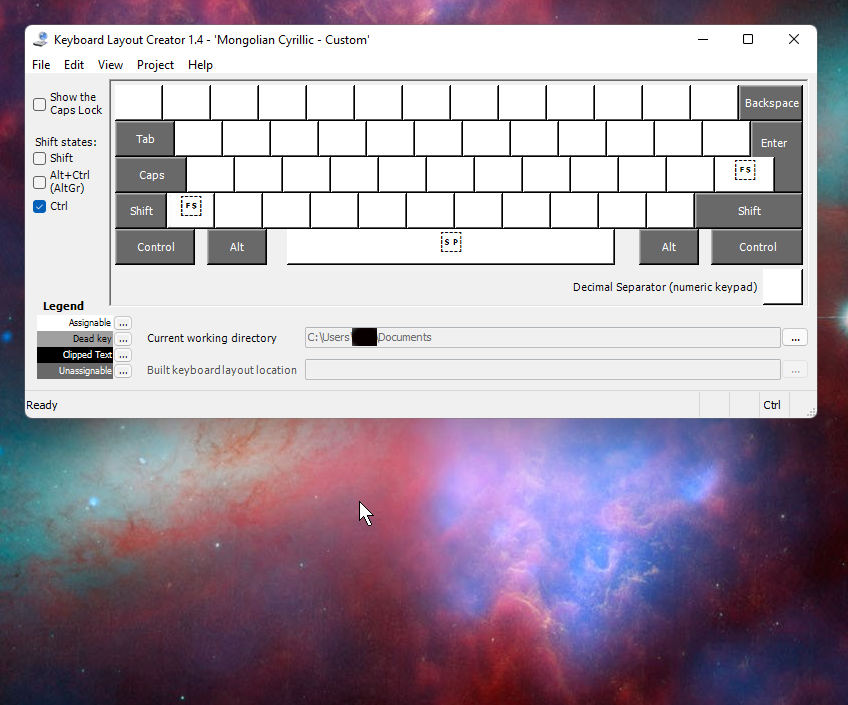
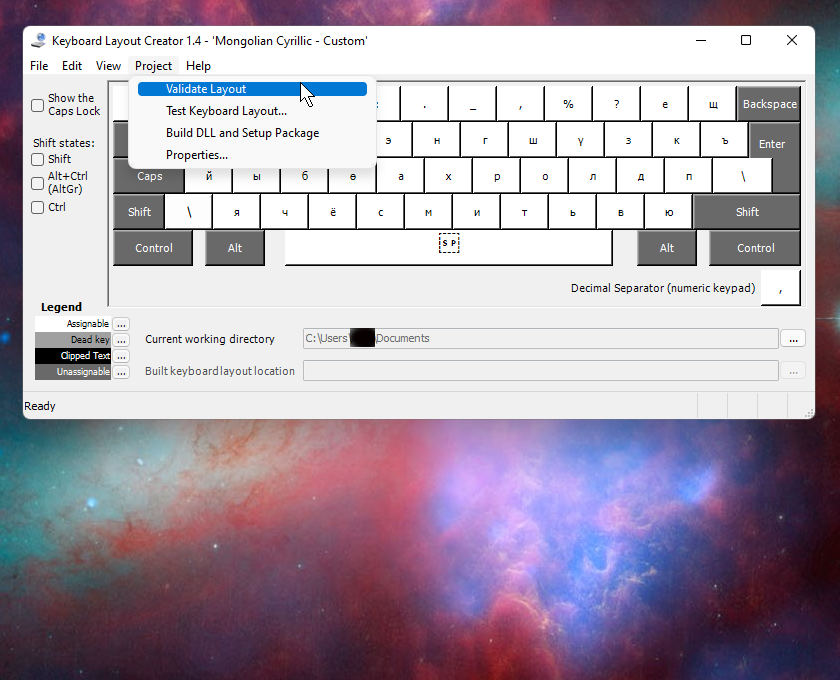
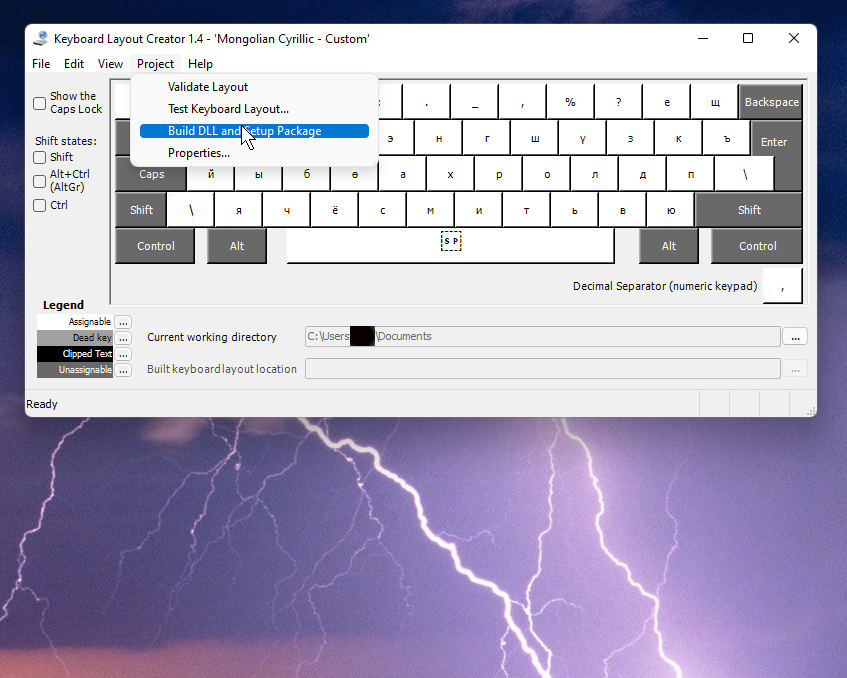
I recommend using the following method to make it faster:
- Learn to use the program by comparing it with the picture above
- Make a list of all Mongolian Cyrillic letters in Unicode
- Select and open the settings of the keyboard of the country you are using (mostly English and German, but if there are people from other countries)
- Insert/replace Mongolian Cyrillic letters in Unicode in your favorite position from the above list
- After doing a few tests, you are satisfiedсуулгацыг нь хийгээд суулгаж ашиглах
- Voilà
Summary
If I can't type quickly on my computer, I feel like I'm wasting a lot of time,🤔. Unfortunately, especially for children who are just starting to learn, and then when they start learning a foreign language, they will also have to spell, 😭!
But the configuration I made is certainly not the best, because I made it for myself, i.e. I tried to insert Mongolian Cyrillic letters after letters with similar Latin words (people who write in English and German may understand it quickly),😁.
If you look at this Mongolian Cyrillic standard configuration, you can see that the expansion keys are simply not used (judging by the location used, it must have been copied from a mid-20th century typewriter). Why, 🤔? Well, well, never mind, now you've learned how to modify it yourself, share it with others. Or improve it and tell me. If enough people use it and think it's good, let's recommend it to Microsoft as an installation option! Thank you,😊🙏
I will also briefly and clearly show you how to do it next time on Linux...
There is no such thing as a stupid question! If you have any questions, ask. But if you can't answer or you're busy, you can simply answer no or yes. I didn't promise that I would do it if I really needed it, 🤔🤭🤫.
Source
https://www.microsoft.com/en-us/download/details.aspx?id=102134
https://msklc-guide.github.io/
https://www.zybuluo.com/torresdyl/note/774240
https://gist.github.com/SALZKARTOFFEEEL/3156e59dc450b84483d74bb004befaa0
https://www.makeuseof.com/tag/create-custom-keyboard-layout-windows/