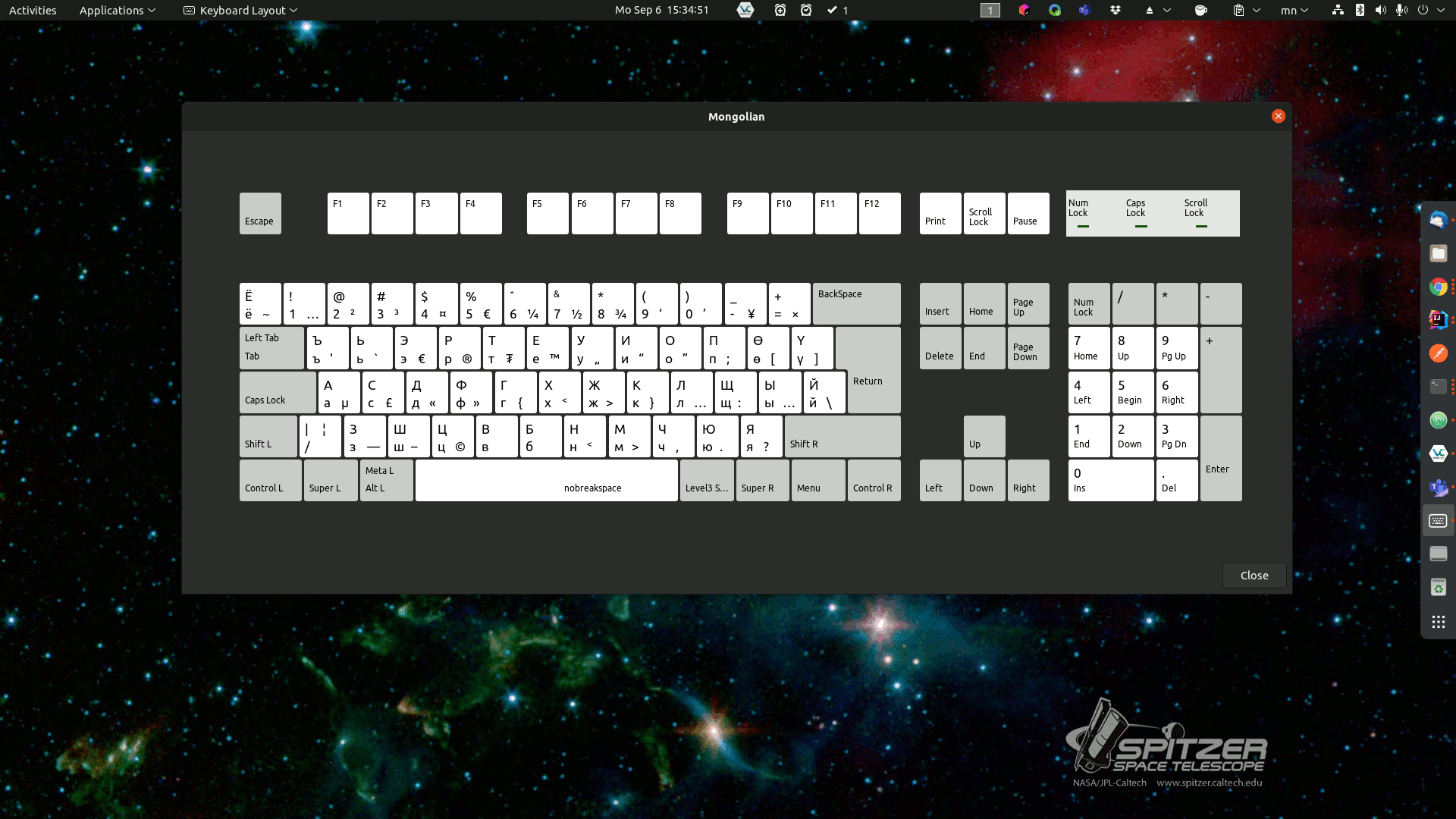

This time, in Mongolian Cyrillic, I will write about how I use it on Linux or Ubuntu (other Linuxes are usually the same, I personally use Debian and Ubuntu 2) on the keyboard. Now you know how to write a lot of messy things on Twitter, it's easy to do if you prepare well, 😅😂.
It's nice that Mongolian Cyrillic can be selected on all Mongolian-enabled devices, but I still don't know who created it, and I still don't understand how the letters were arranged. Once I tried it, I immediately changed it to suit myself. One easy guess is that the Cyrillic typewriter was directly copied, 😜.
Have you ever asked ``Why can't A press A, B press B, and U press U?'', 🤗🤓. Now see how it's done here.
First of all, Mongolian language should be selected on the system. And I didКирилл үсгийн гарын суулгац-ыгcan be downloaded and installed from here. All the code is readable and readable without changing the position of the letters!
You can download, extract and install directly packaged. Install Git on your system like Esgool Pro et al
git clone https://github.com/bachka/mongolian-keyboard-layout-linux.gitmn-custom file has the main reason. There you can also place your letters to suit yourself.
<p><img alt="Mongolian-Keyboard-Layout1" src="/user/pages/02.blog/speed-writing-cyrillic-mongolian-linux/Mongolian-Keyboard-Layout1.png" /></p>In the next article, we will add How to customize the font in Windows?